Broken and Bloated
A family-run estate cleanout business in northern New Jersey came to us with a familiar story: the site looked fine, but every “small” change had become a project. The theme was years old, layered with patches from every contractor who’d touched it along the way, and brittle in ways nobody wanted to test in production. It looked great but was starting to show its age:
- super bloated
- old theme that was not supported
- lots of different designers/devs over the years worked on it
- old plugins causing malware
- required a hosting plan way bigger than it needed
- usability issues – contact form hard to use, unlinked tel: hrefs…all stuff we could fix / did fix but still.
Then a huge issue happened after a normal edit: updating the phone number in the header. After saving, the entire site lost its mobile responsiveness. This is exactly the kind of situation that brings clients to our Boca Raton SEO work, sites where every small change risks blowing up something invisible. Tracking down why meant chasing custom CSS in four different places, theme files, a child theme, an Elementor panel buried inside a page, and the WordPress Customizer. Four sources of truth for the same layout, none of them aware of the others.
This isn’t WordPress’s fault, and it isn’t the fault of anyone who built the site. It’s what happens to a site that gets handed from one person to the next over a decade. Every well-intentioned fix lands in a different layer, and eventually the layers start fighting each other. By the time we got involved, Eaton’s Estate Service was running WordPress 6.9.4 with Elementor Pro, Slider Revolution, and Yoast SEO on a managed Nexcess plan, roughly 300MB on disk, at the point where editing a phone number could ship a broken site.
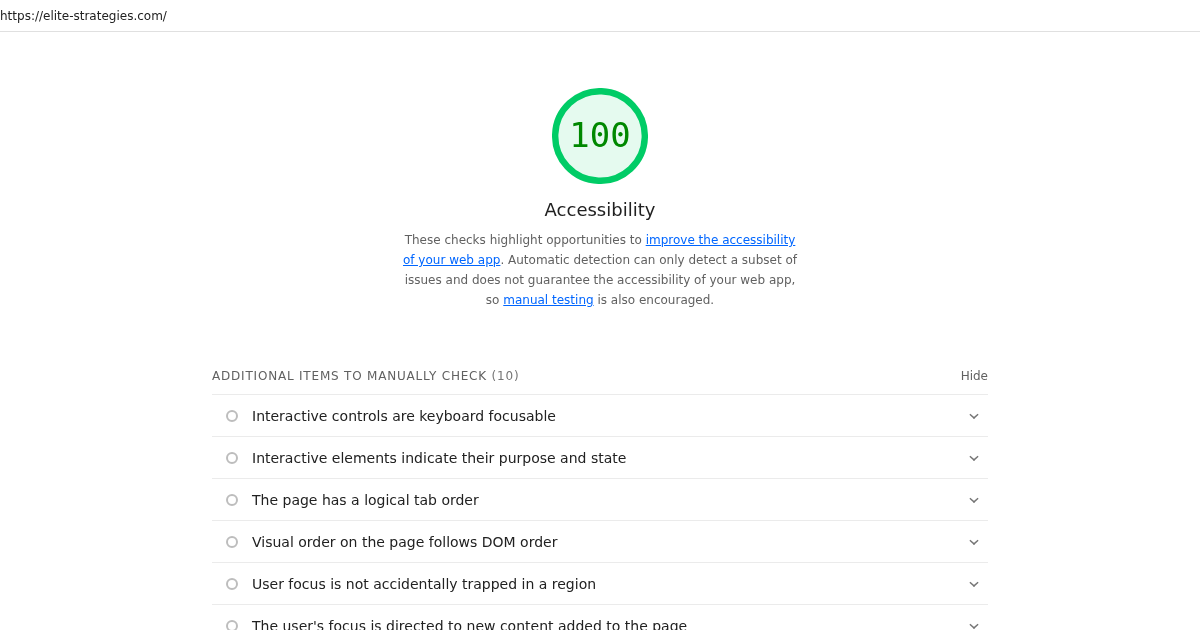
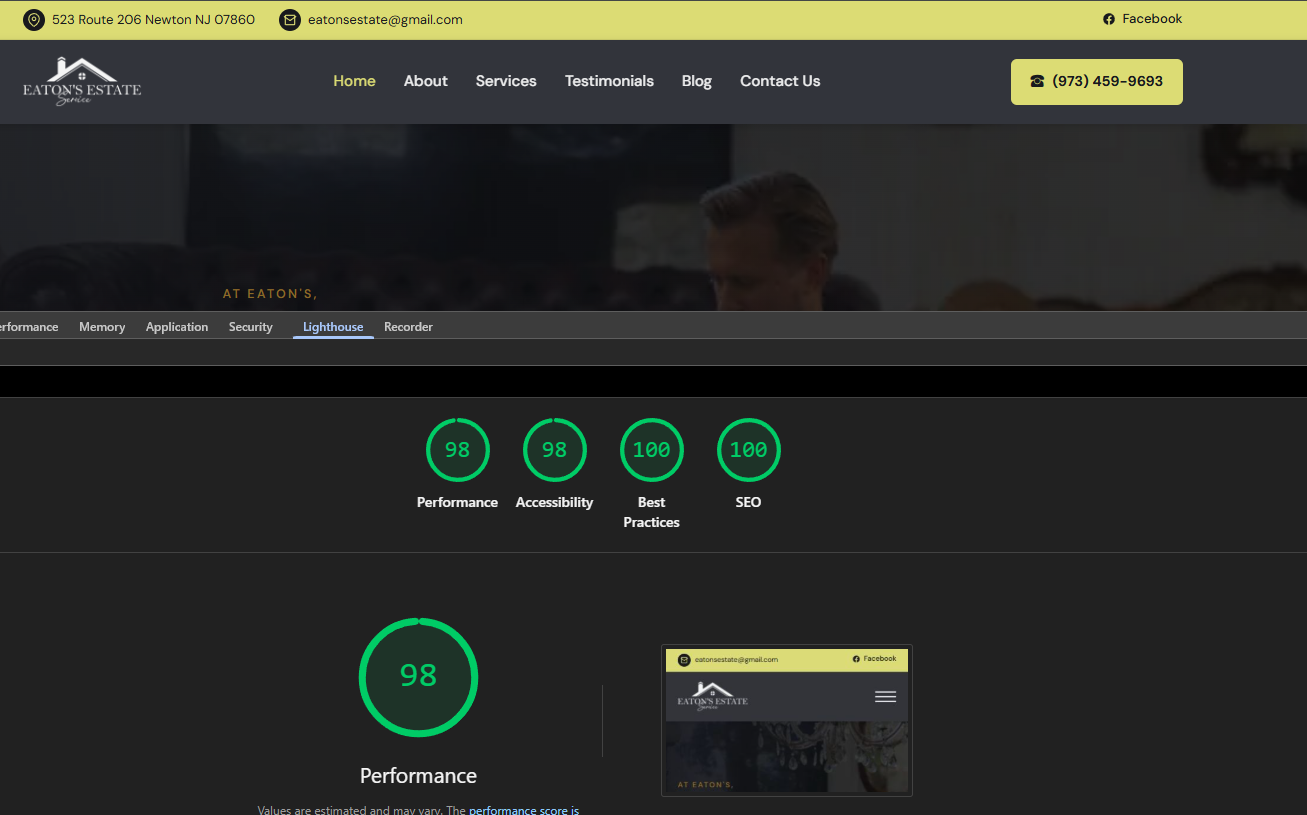
A few weeks later, the same site (same pages, same content, same brand) was shipping as static HTML out of Cloudflare’s edge, weighing in under 8MB total, scoring 100/100/100/100 (or almost basically) in Lighthouse, and passing a WCAG 2.1 AA audit with zero critical or high findings.
Here’s how we got there.
Step 1: Inventory before you rebuild
You can’t rebuild what you haven’t mapped. Before touching a single line of code, we did a full recon pass:
- Pulled the WordPress REST API for every page, post, taxonomy, and user.
- Mirrored
/wp-content/uploads/over SFTP, all 259MB of it. - Rendered every URL in the sitemap through Playwright so we had the actual shipped HTML, not just database content.
- Diffed the rendered HTML against the API content to catch anything Elementor was injecting at render time (it was a lot).
We could have done this 5 different ways but this was the easiest for us.
The inventory itself turned up the first round of wins. The uploads directory held five years of orphaned media: old hero images, never-published variants, six copies of the same logo at different sizes. Most of the 300MB had nothing to do with the site visitors were actually seeing.
Step 2: Strip the platform, keep the SEO
This is where most migrations go sideways. It’s easy to ship a faster site that quietly tanks search rankings because someone forgot a redirect or changed a URL pattern.
We treated the existing SEO surface as a contract:
- Every indexable URL got a 1:1 mapping on the new site.
- Trailing slashes, canonical tags, and schema markup were preserved.
- Yoast’s metadata was extracted into the content collection so titles and descriptions carried over byte-for-byte.
- A sitemap and
robots.txtshipped on day one, with the sitemap submitted to Search Console before the DNS cutover. - permalinks matched
- we also took this opportunity to do a lightweight content cruft audit
The plugin output, on the other hand, got cut hard. Elementor’s inline styles, Slider Revolution’s runtime, jQuery, emoji scripts, the WordPress block library CSS, all of it gone. The new pages render with one small stylesheet and zero blocking JavaScript on most routes.
Our new workflow is much easier and can be agent assisted. Since the site is now in a Github repo we can grab the site locally, make whatever changes we want, push back to Github and its live in a few moments.
Step 3: Rebuild as static Astro
The new site is an Astro project that compiles to plain HTML, CSS, and a few KB of JS only where it’s actually needed (mobile nav, contact form). Pages are authored as a content collection so editors can still update copy without touching templates, and crucially, the phone number now lives in one place.
A few things that made the difference:
- Images pruned and converted to WebP. The 259MB upload directory became 89 files at 7.4MB.
- Fonts self-hosted and preloaded. No Google Fonts round trip.
- No tracking pixels load until the page is interactive. Analytics still works; it just doesn’t block paint.
- Hosting moved to Cloudflare Pages. Served from the edge as static files. No PHP, no database, no WordPress login screen for bots to probe.
Step 4: Audit accessibility post-launch
A fast site that screen-reader users can’t navigate is still a broken site. After launch we ran a WCAG 2.1 AA pass:
- Landmark regions,
langattribute, and a skip-to-content link on every page. - One
<h1>per page, heading order enforced, no level skips. - Every image has a real
alt; decorative ones are explicitly empty. - Icon-only links carry
aria-labels. The hamburger button announces its expanded state. - Forms use real
<label>elements,autocompleteattributes, and a polite live region for status messages.
Zero critical, zero high WCAG AA findings. The handful of remaining items are polish (focus-ring contrast on two button styles, reduced-motion preferences) and are already queued.
The result
| Before | After | |
|---|---|---|
| size of website | 259MB | 7.4MB |
| Lighthouse | not great | 100 / 100 / 100 / 100 |
| Server-side runtime | PHP + MySQL | none |
| WCAG 2.1 AA critical/high findings | failing | 0 |
| Hosting | managed WordPress plan | Cloudflare Pages |
| Homepage load | 2.5MB | 400 Kilobytes |
| Homepage requests | 80 | 19 |
The lesson isn’t “WordPress is bad.” WordPress is fine when you actually need a CMS. The lesson is that a brochure site (fifteen pages, twenty posts, no logins, no commerce) doesn’t need a database, a render layer, and a plugin ecosystem to deliver. It needs HTML, and it needs one place to change the phone number.
If your site looks anything like the “before” column, let’s talk.