ADA Audit Overview
Client: Elite Strategies / This Agency Website.
Industry: Digital Marketing & SEO Agency.
Platform: WordPress (Avada 7.15) + Fusion Builder + Gravity Forms + Cloudflare.
Tools Utilized: axe-core 4.10.2, Playwright, Chrome DevTools, Lighthouse, wp-cli, Gravity Forms API (GFAPI), Cloudflare Turnstile, Avada Child Theme, Fusion Builder, Chromium Accessibility Tree.
Project goal: ship the new elite-strategies.com to production at full WCAG 2.2 AA conformance across every representative page template, with zero visual regressions and no dependencies on overlay widgets. Every fix had to live inside the child theme or form settings so Avada and plugin updates could not silently regress it.
The baseline and after numbers below were captured against the pre-launch dev build. Public visitors never saw a noncompliant state.
Why ADA compliance matters for WordPress in 2026
ADA compliance for marketing sites in 2026 is not a checkbox. The ADA, Section 508, California’s Unruh Act, and New York’s online-accommodation rules all reference WCAG success criteria directly. Demand letters targeting small and mid-market sites have picked up every year since 2022.
Most of the signals axe-core and Lighthouse flag (heading order, landmark structure, alt text, keyboard focus) also overlap with what Google’s quality raters are trained to look for. You pay the price twice if you get this wrong: once in legal exposure, once in organic visibility.
We wanted to prove two things with our own pre-launch dev build before recommending the playbook to clients.
- A mature Avada marketing site can reach zero automated accessibility violations without redesigning or rebuilding it.
- Every fix can live inside the child theme and form configuration. Parent-theme safe, plugin-update safe, no overlay SaaS.
Pages and templates we audited
Five representative templates, covering every layout archetype in the site:
- Homepage (Fusion Builder layout with an animated particle-sphere hero)
- Service sub-page (/services/seo/)
- Blog single post
- Gravity Forms contact page
- Long-form legal (/privacy-policy/)
Our accessibility audit methodology
- axe-core 4.10.2 run through Playwright on all five pages for automated WCAG rule coverage.
- Manual keyboard walk. Tab order, focus indicator visibility, skip-link behavior, and WCAG 2.2’s new 2.5.8 target-size check at 24×24 CSS px.
- Lighthouse accessibility audit at both desktop and mobile viewports.
- Direct source review of the Avada child theme, Fusion Builder shortcode renderers, and Gravity Forms config. This is how you catch the 30 to 40 percent of real accessibility issues no automated scanner will find.
Automated scanners catch the first layer. Keyboard walks and source review catch the rest.
Baseline: 22 axe-core violations across five pages
On entry, axe-core surfaced 22 violations across 71 individual nodes on the five dev templates.
| Page | Violations | Nodes |
|---|---|---|
| Homepage | 4 | 20 |
| /services/seo/ | 4 | 12 |
| Blog single | 6 | 18 |
| Contact | 4 | 11 |
| Privacy Policy | 4 | 10 |
| Total | 22 | 71 |
The manual pass found issues no scanner catches. A representative sample:
- Color contrast. Our brand purple
#705aefon black hits 4.39:1, just under the AA threshold of 4.5:1 for normal text. Small body copy, the active nav link, and every input in the footer contact form were affected. Purple input text on dark grey came in at 2.88:1, well under. - Keyboard focus management. Tabbing through the header mega-menu moved focus into submenu panels that were visually hidden via
visibility: hidden. Keyboard users were landing on anchors they could not see. - Form labels. Gravity Forms fields did not declare
autocompleteattributes. Password managers and mobile keyboards could not help users fill them (WCAG 1.3.5 Identify Input Purpose). - Spam protection. The contact form was using a trivia question (“How many paws does a dog have?”) as anti-spam. That is a cognitive-load barrier, it runs counter to WCAG’s Accessible Authentication criterion, and it annoys real users too.
- Hero animation. The particle-sphere hero ran a continuous animation with no regard for
prefers-reduced-motion. For users with vestibular disorders that is an instant failure of WCAG 2.2.2 Pause, Stop, Hide. - Heading hierarchy. Mega-menu category labels rendered as h5, numeric service indices 01. through 10. rendered as h4, and Featured portfolio appeared twice as h2. Screen-reader outline navigation was effectively broken.
Our remediation approach: no overlays, no parent-theme edits
We had two hard rules going in.
No accessibility overlay widgets. Overlay SaaS products (UserWay, accessiBe, and their peers) do not fix underlying code. They are now routinely named in ADA class-action suits because plaintiffs’ lawyers have learned they exist. They also insult power users of screen readers, who uniformly turn them off. We fix code.
No parent-theme edits. Anything modified inside wp-content/themes/Avada/ is overwritten on the next Avada update. Every fix had to land in the child theme, in form settings, or (for two narrowly scoped cases) as a surgical $wpdb->update() call on a specific post_content row.
How we fixed each WCAG 2.2 AA issue
Every change was verified before and after with axe-core and a manual keyboard walk.
1. Child-theme CSS
All rules live in style.css, auto-cache-busted via filemtime(). Color-contrast overrides scoped with attribute selectors so the brand palette stays intact. 24×24 minimum target-size rules for mega-menu carets and footer nav. A :focus-visible fallback outline so every keyboard-reachable element gets a visible indicator. A @media (prefers-reduced-motion: reduce) rule that hides the two animated particle canvases for motion-sensitive users without affecting layout.
2. Child-theme PHP filters
In functions.php: fusion_attr_menu-shortcode and fusion_attr_submenu-shortcode filters give each of seven nav landmarks a distinct aria-label. gform_field_content adds aria-hidden="true" to required-field asterisks. A wp_footer script sets tabindex="-1" on the skip-link target so the Enter key reliably lands focus on main content.
3. Runtime DOM augmentation
A single wp_footer script does the rest. Portfolio tile anchors inherit their accessible name from the adjacent heading. The decorative homepage arrow SVG picks up alt="". Duplicate responsive-variant h2s get aria-hidden so screen readers only hear them once. A generic heading-order normalizer walks DOM order and promotes any heading that skips a level down to prev + 1. Eyebrow labels like “What we do best” and “Our previous projects” drop their heading semantic entirely and render as div.
4. Gravity Forms API
GFAPI::update_form() sets autocomplete="name", autocomplete="email", and autocomplete="tel" on every personal-data field. Generic “Submit” button text was replaced with “Send message”.
5. Cloudflare Turnstile
In Managed mode, Turnstile replaced the trivia-question anti-spam on both contact forms. Turnstile is non-interactive for the overwhelming majority of real users, which is exactly why the WCAG spirit supports it, and it is free on any Cloudflare plan.
Why you should not rely on Playwright alone
Automated tooling will carry you most of the way. It will not carry you all the way. axe-core, Lighthouse, and Playwright are excellent at catching the things they are designed to catch: missing alt text, bad heading order, insufficient contrast on a known background, a label that is not wired to its input. They are blind to anything that depends on context they cannot compute.
A real example from this project. After we shipped the final round of fixes, the single case-study template rendered the site logo as a white SVG over a white backdrop, because the header template is shared across layouts and the case-study template no longer places a dark hero behind it. The logo was visually invisible. Every automated scanner passed. axe-core passed. Lighthouse scored 100. Playwright reported a well-formed img element in the viewport with the expected width and height.
The only way to catch it was to open the page in a browser and look at it.
Build the habit into your remediation flow:
- Open every audited template in a real browser (not headless) at the breakpoints that actually matter for your traffic. Desktop, tablet, phone. Scroll slowly.
- Tab through every page from the top. Watch where focus lands, watch where it disappears. Focus management issues routinely slip through axe.
- Open a screen reader at least once per engagement. VoiceOver on macOS, NVDA on Windows. Listen to the first thirty seconds of a page. It tells you things no linter will.
- Zoom the page to 200 percent. Text reflow, off-screen cutoff, overlapping elements, all instantly visible, none caught by automation.
- Emulate
prefers-reduced-motion,prefers-color-scheme: dark, and keyboard-only input. Three checkboxes in DevTools. Surfaces problems automated scans never will.
The automation tells you the site is probably correct. Your eyes tell you whether it actually is. Do both.
The shortcode + wpautop gotcha that cost a session
Partway through the contrast remediation, the homepage particle-sphere hero broke. The symptom was an Uncaught SyntaxError: Unexpected token '<' in the inline hero script and an empty canvas on load.
The root cause is a subtle Avada behavior worth writing down. Fusion Builder stores shortcode payloads base64-encoded in wp_posts.post_content. That encoding is not cosmetic. It exists to shield inline script bodies from WordPress’s wpautop filter, which otherwise inserts </p><p> tags at every blank line inside the decoded script and breaks the JavaScript at runtime.
A naive wp_update_post() call during a color swap silently decoded those payloads, and the next render mangled them. The fix was to write via $wpdb->update() directly (bypassing kses and wpautop) and re-encode every payload back to base64. The Fusion Builder UI decodes them on load for editing, so your developers still see clean, human-readable JavaScript.
An accessibility overlay would have no way to see this, much less fix it. If your team is programmatically editing Fusion Builder pages for any reason, this one is worth the bookmark.
Results: zero axe-core violations, Lighthouse 100
Two focused days of remediation against the dev build.
| Page | Before (violations / nodes) | After (violations / nodes) |
|---|---|---|
| Homepage | 4 / 20 | 0 / 0 |
| /services/seo/ | 4 / 12 | 0 / 0 |
| Blog single | 6 / 18 | 0 / 0 |
| Contact | 4 / 11 | 0 / 0 |
| Privacy Policy | 4 / 10 | 0 / 0 |
| Total | 22 / 71 | 0 / 0 |
- axe-core: 100 percent clean across all five audited templates.
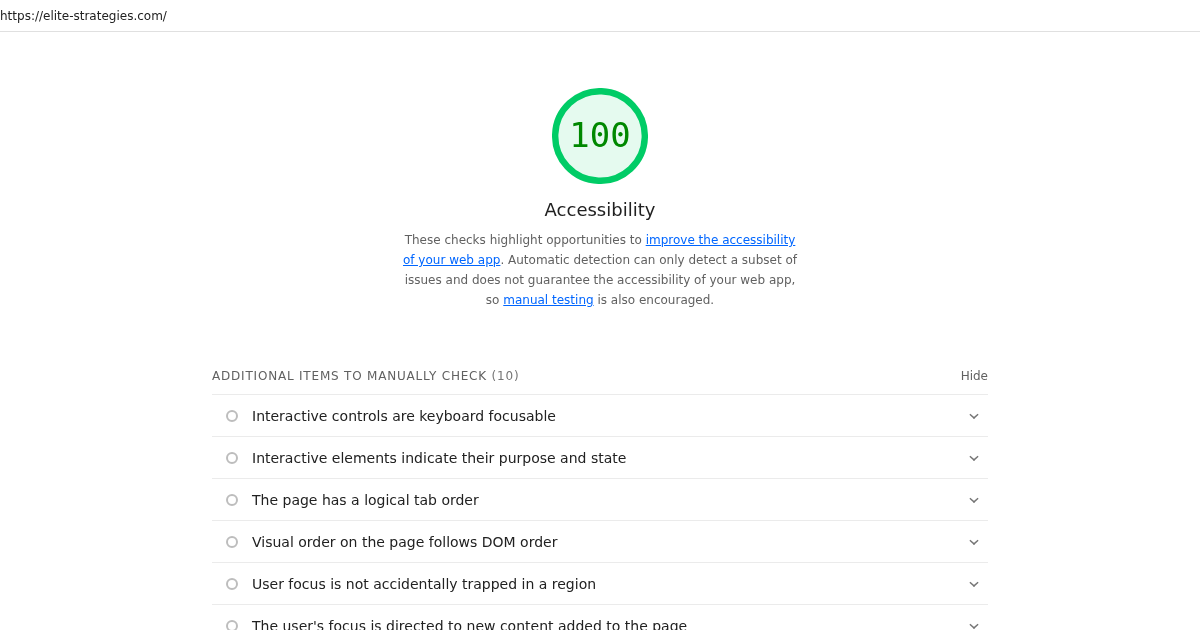
- Lighthouse Accessibility: 100 on mobile, 100 on desktop after the final landmark and eyebrow-heading pass.
- Zero visual regressions. Every brand color, every hero animation, every layout breakpoint shipped exactly as the design team intended.
- Fully maintainable. All changes live inside the child theme and form settings. Avada parent-theme and plugin updates cannot overwrite them.
Why this matters beyond legal compliance
Two things happen when you do this work properly instead of bolting on an overlay. First, you drop an entire class of legal risk. ADA demand letters do not lose interest because you put a plugin on the page. Plaintiffs’ lawyers have started citing the overlays themselves as evidence of bad-faith compliance. Second, the fixes you ship for accessibility are almost identical to the fixes you would ship for organic search quality. Clean landmarks. Descriptive anchor text. Unique page titles. A heading outline Google can actually parse. A form it can understand. The same work passes axe, passes Lighthouse, and gives Google a cleaner entity signal.
Overlays give you none of that. They give you a widget.
Getting a WordPress site to WCAG 2.2 AA is not a rebuild
It is a focused set of child-theme CSS rules, a handful of PHP filters, one small wp_footer script, and a few Gravity Forms settings. If your team already ships Avada sites, the work is well within reach. If it does not, bring in someone who has done it.
Need an ADA audit on your site?
Elite Strategies has been doing accessibility audits, SEO, and technical WordPress work for over a decade. If your site is failing Lighthouse, getting flagged by axe-core, or sitting on an overlay widget you know will not hold up, reach out. Our ADA Compliance service covers the full engagement: discovery audit, scoped remediation, before/after verification, and a maintenance playbook your team can actually use. The initial scan is complimentary.